CapCut Video Editor is a popular video editing app designed for users who want to create and edit videos easily. It provides a range of editing tools for trimming clips, adding text, applying effects, using transitions, and improving audio.
Whether you are creating short videos for social media or editing personal recordings, CapCut Video Editor offers simple tools that can be useful for both beginners and experienced creators.
Whether you are creating short social media videos, personal projects, or content for your audience, CapCut provides many tools in one application.
What Is CapCut Video Editor?
CapCut Video Editor is a video editing application that allows users to edit videos directly on their mobile devices. You can combine multiple clips, add music, apply visual effects, create captions, and adjust different aspects of your video.
Its simple interface makes basic editing easier without requiring advanced video-editing knowledge.
CapCut Video Editor Features
Video Editing Tools
The app provides common editing options such as:
- Trim and split video clips
- Merge multiple clips
- Adjust video speed
- Crop and resize videos
- Add transitions
- Apply filters and visual effects
- Adjust brightness, contrast, and other settings
These tools allow users to customize their videos according to their needs.
Templates
CapCut includes ready-made templates that can help users create videos more quickly. Templates can be useful when you want to follow a particular style without creating every effect manually.
AI-Powered Tools
CapCut also includes various AI-based features that can simplify some editing tasks. Depending on the available version and region, these tools may include automatic captions, background-related features, image and video effects, and other creative options.
AI tools can save time, especially for users who are new to video editing.
Text and Captions
You can add text to videos and customize its appearance. Captions can make videos easier to understand, especially when viewers watch content without sound.
Users can adjust text style, size, position, and timing according to the video.
Music and Sound Effects
Audio is an important part of video editing. CapCut provides options for adding music, sound effects, and other audio elements to videos.
You should make sure that any music or audio you use has the appropriate rights or permission for your intended use.
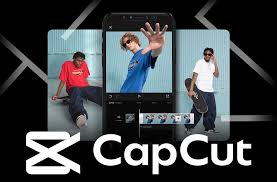
How to Use CapCut Video Editor
Getting started with CapCut is relatively simple:
- Open the CapCut app.
- Start a new video project.
- Select the videos or images you want to edit.
- Arrange the clips on the timeline.
- Trim or split clips where necessary.
- Add text, transitions, effects, or audio.
- Preview your completed video.
- Export the video using the available settings.
Beginners can start with basic trimming and text tools before moving on to more advanced editing features.
Why Use CapCut Video Editor?
CapCut can be useful for people who want a straightforward way to edit videos on a phone. Its combination of basic editing tools, templates, effects, captions, and creative features makes it suitable for different types of video projects.
It can be particularly helpful for short-form content creators, students, and users who want to edit personal videos without using complicated desktop software.
Pros and Cons
Pros
- Easy-to-use interface
- Useful basic editing tools
- Templates and creative effects
- Text and caption options
- Audio editing features
- Suitable for beginners
Cons
- Some features may vary by version or region
- Advanced features may require additional access
- Availability of certain templates and effects can change
Frequently Asked Questions
Is CapCut Video Editor easy for beginners?
Yes. The app provides a relatively simple interface and basic editing tools, making it suitable for beginners.
Can I add text to videos in CapCut?
Yes. You can add and customize text and captions within your video projects.
Does CapCut support templates?
Yes. CapCut offers templates that can help users create videos more quickly.
Can I edit audio in CapCut?
Yes. The app provides options for adding and adjusting audio elements such as music and sound effects.
Where can I find more updates and details about CapCut Video Editor?
For the latest updates, feature guides, and detailed tutorials about CapCut Video Editor, you can visit APKWraz. We regularly provide updated information and safe resources for mobile and desktop applications.
Q. Can I edit Facebook videos with CapCut Video Editor?
Yes. CapCut Video Editor includes preset aspect ratios, templates, and auto-captions designed specifically for Facebook content.
Conclusion
CapCut Video Editor is a convenient option for users who want to create and edit videos on their mobile devices. With tools for trimming, transitions, text, captions, audio, effects, templates, and AI-assisted features, it provides several options for creating engaging video content.