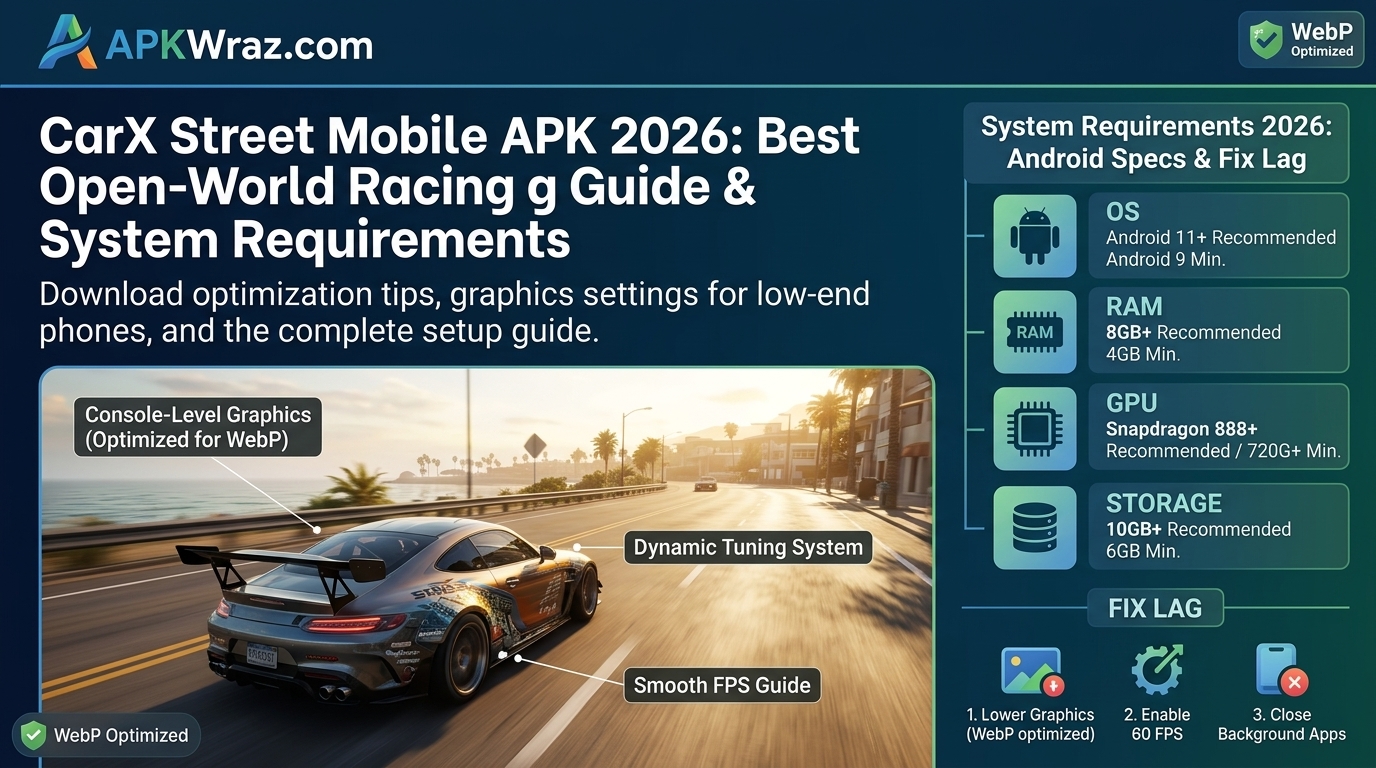
CarX Street is one of the most realistic open-world racing games available for mobile devices. However, due to its console-level graphics and high system requirements, many players experience lag, frame drops, and heating issues on budget or low-end Android smartphones.
If your game is stuttering or running slowly, you do not need to delete it. By tweaking a few in-game graphics options and optimizing your phone’s performance settings, you can enjoy much smoother gameplay.
Minimum System Requirements for CarX Street
Before trying performance fixes, ensure your device meets these basic specifications:
-
RAM: Minimum 4 GB (6 GB or higher recommended)
-
Processor: Snapdragon 720G / MediaTek Helio G95 or better
-
Storage Space: At least 10 GB free space
-
Android Version: Android 10.0 or above
Step-by-Step Guide: Best Settings to Fix Lag in CarX Street
Follow these practical steps to boost your FPS (Frames Per Second) and reduce game stuttering:
Step 1: Lower In-Game Graphics Settings
High graphics settings heavily overload your phone’s GPU. Adjust these options inside the game menu:
-
Open CarX Street and tap the Settings gear icon.
-
Go to the Graphics tab.
-
Lower the Render Resolution slider to 1 or 2.
-
Set Graphics Quality to Low or Medium.
-
Turn OFF Anti-Aliasing, Motion Blur, and Smoke Effects.
Step 2: Enable Game Booster Mode
Most modern Android devices (Samsung, Xiaomi, Realme, Vivo) come with a built-in game optimization app.
-
Turn on Game Turbo / Game Space / Game Launcher before starting the game.
-
Select Performance Mode to prioritize CPU and GPU power for CarX Street.
Step 3: Clear RAM and Background Applications
Running background apps like Instagram, Facebook, WhatsApp, or Chrome consumes precious memory needed by high-end games.
-
Close all active background apps before launching CarX Street.
-
Clear cache using your phone’s System Cleaner tool.
Step 4: Free Up Internal Storage
Games require extra cache memory to run smoothly. If your storage is almost full, your entire system will slow down.
-
Keep at least 5 GB to 10 GB of empty space on your phone’s internal memory.
Pros & Cons of Lowering Graphics for Performance
-
Pros: Smooth gameplay, higher FPS, less phone heating, and longer battery life.
-
Cons: Slightly blurry visuals and reduced lighting/shadow effects.
How to Install CarX Street Mobile APK Safely
-
Download the latest installation file to your device storage.
-
Go to Settings > Security on your Android phone and enable Install from Unknown Sources.
-
Open your device’s File Manager and locate the downloaded file.
-
Tap the file and follow the on-screen prompts to complete the installation.
-
Launch the game, allow the required storage permissions, and start playing.
Frequently Asked Questions
Q1: Why is CarX Street lagging even on 6GB RAM phones?
Answer: CarX Street requires a strong GPU alongside RAM. If your processor is entry-level, the game may still drop frames despite having enough RAM.
Q2: Will using lag fix config files or mod tools ban my account?
Answer: Yes, using third-party mod files or modified APKs can violate game policies and lead to account bans. Always stick to official in-game setting tweaks.
Q3: Does phone heating cause lag in CarX Street?
Answer: Yes, when your phone overheats, the processor automatically slows down (thermal throttling) to protect the device, causing sudden lag.
Q4: Can I read Tech News on the website?
Yes, apkwraz.com publishes Tech News, app updates, and digital trends for readers.
Conclusion
CarX Street Mobile APK 2026 Download is one of the best open-world racing games available for Android. The realistic driving physics, beautiful graphics, smooth controls, and customization features make it a favorite choice for racing fans. If you enjoy fast cars and free-roam driving, the latest version of CarX Street Mobile APK 2025 Download is definitely worth downloading.
